

If you make a purchase after clicking on links within this article, Lee Enterprises may earn affiliate commissions. The news and editorial departments had no role in the creation or display of this content.
An affordable AI headshot generator may provide you with a fast, low-priced option to generate pro headshots online. A lot of them are ML-powered tools that aim to edit, repair, or create photos with clean backgrounds and crisp facial features.
All but a couple work right in the browser, so no download should be necessary. This article rounds up some dependable choices that could suit various budgets and requirements.
Key Takeaways
Affordable AI headshot generators may provide accessible solutions for creating professional and personalized images that are suitable for various professional and creative contexts.
Most platforms appear to provide customization options, enabling users to adjust features such as age, gender, ethnicity, and background to fit their requirements.
There are artistic and stylized choices if you’re looking for something distinct or creative beyond business headshots.
Sophisticated editing capabilities and batch generation options may cater to individuals and organizations needing multiple headshots.
With integration to professional platforms and instant download options, users may hit the ground running with applications or share their new headshots.
People are also reading…
1. Portrait Pal
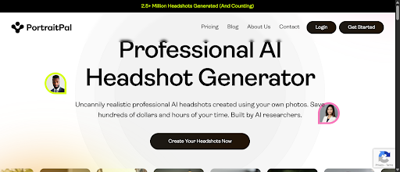
What may set Portrait Pal apart is its capacity to potentially create premium, naturalistic headshots with AI-generated photos. The platform employs a sample-based model, pulling from a diverse library of sample images, matching skin tone, facial features, and lighting to possibly achieve a natural appearance. Using just 3 to 5 uploaded photos, users may ask the tool to generate a few headshot options that are intended to work for most professional purposes.
With a massive image library, you should be able to find something for any professional background. Need a formal background for your corporate profile, a creative look for your portfolio, or a laid-back style for your team pages? Portrait Pal’s got you covered. The photo library spans various clothing styles and backgrounds, allowing users to find images that align with their industry and personal style.
The interface prioritizes usability. Submitting photos may be easy for most, generally requiring 10 to 20 minutes to locate or snap pictures that conform to the site’s criteria. It takes about 15 to 30 minutes from selecting photos to sending. Then you wait an hour or two for the AI to complete (times may vary).
Occasionally, it may take a couple of hours to a day, particularly when creating lower-priority pictures. The site lets you preview low-resolution, watermarked images for free, with plans starting at an advertised $35. This pricing appears to align with other headshot generators, making it a potentially reasonable option for the majority of users.
2. Profile Bakery
Profile Bakery is apparently notable for being able to generate artsy and stylized headshots utilizing AI’s distinctive algorithms. It lets users upload 6 to 15 selfies, which it then uses to create multiple different headshots. Each headshot may be tailored to industry norms, based on the AI being trained on thousands of professional photos. This yields high-resolution images that may look great on resumes and business profiles or wherever you need to strike a clean, contemporary air.
Experimenting with new art styles is another highlight. Profile Bakery apparently provides a minimum of four distinct styles per 30 images created, ensuring users are never short on choices.
Users may select their preferred images and tweak specifics to narrow in on their desired appearance. For example, altering background colors or adjusting face features assists in refining the output.
It offers additional utilities, such as a free CV template and an accuracy enhancement tool, which both assist users aiming to enhance their professional image. These extras simplify the process of complementing headshots with other career materials. Instant downloads are a convenience. As soon as the tool completes, users receive instant access to their pictures.
This certainly may come in handy if you need fresh headshots with just a few hours of waiting. The standard timeframe is 1 to 2 hours, depending on demand. All photos are stored for 30 days and then deleted automatically. Pricing starts at $24, making it one of the most affordable options on our list.
3. HeadshotPro
HeadshotPro is known for generating business-standard headshots without the typical studio hassle. Upload your own photos from home, and the platform’s headshot generator transforms them into potentially stunning, professional images. Every order includes an advertised guarantee of at least one profile-worthy headshot.
If you’re in a hurry, they may even be able to shoot out hundreds of options by lunch, which is useful for deadline junkies or those who want a whole bunch of choices. HeadshotPro provides access to editing tools so users may fine-tune images post-generation. For instance, you may be able to interchange backgrounds with dozens of different options, so your headshot matches various professional environments or social profiles.
Bulk generation assists teams or organizations in saving time and money. Instead of having to schedule individual sessions, groups can upload several photos at once and get a batch of headshots back all at once. It’s handy for businesses refreshing their employee pages or establishing a uniform appearance for their team on corporate websites.
Advertised bulk pricing of $29 to $49 per person may be less than the average professional studio charge of approximately $232.50 in the U.S. This renders HeadshotPro a potentially economical option for startups, remote teams, or those on a budget. An apparently effortless sync with LinkedIn and other professional platforms may also make updating your online profiles a breeze.
4. Canva AI Headshot Generator
Canva’s AI headshot generator is a possibly fast and effective way to generate sharp, professional headshots in a matter of clicks. Leveraging AI, the tool may optimize lighting, smooth backgrounds, and enhance image quality without much intervention.
The tool provides access to a variety of templates and design elements, simplifying the process of customizing headshots for various applications. You can choose between simple backgrounds, business frames, or something more artistic. Templates aim to keep the look consistent if you require multiple headshots for a team.
Users may drag and drop borders, add text, or select from preset background colors. For instance, a white background with a soft shadow can feel clean and modern, while a blue gradient may play better for tech or creative profiles.
Lighting, color, and effects adjustments are integrated. Sliders allow you to adjust brightness, contrast, and warmth, potentially allowing you to immediately address low-light or uneven skin tones. The AI may also assist with red-eye and skin smoothing. For optimal results, upload a clear, well-lit photo – preferably with a neutral expression and direct eye contact.
Download possibilities include common formats such as JPEG and PNG, allowing you to potentially utilize the image wherever a professional photo is required. Canva offers current subscribers limited free credits for AI headshots. Once you exhaust your complimentary attempts, you must wait to receive additional ones unless you purchase additional credits.
5. Dr. Headshot
What’s neat about Dr. Headshot is that it takes your random photos and transforms them into crisp, professional headshots using AI. It begins by having you upload 8 to 12 candid pictures. The AI, designed and trained by a team of talented engineers, crawls through these images and produces over 100 stylized headshots within minutes.
Dr. Headshot’s AI neatly isolates the subject from any cluttered or distracting background. A kitchen or park snap could become a studio-quality headshot. The platform centers the subject and leaves a neutral or custom background, giving the headshot a very professional polish.
For users who want their headshot to reflect their personal or company brand, Dr. Headshot may provide custom branding tools. They may customize the logos, change the color palette, or add text.
Dr. Headshot appears to value your privacy and safety. This service advertises that it utilizes industry-leading encryption and Fortune 500-level security. Uploaded photos may never be used for any other purpose and are deleted from servers within 30 days.
6. The Multiverse AI
The Multiverse AI adds a community vibe to headshot generation with tools that may assist you in mixing, modifying, and customizing images with cutting-edge AI. Simply upload 12 to 20 clear photos so the system knows what you look like. Then the AI gets to work.
The service creates 100 headshots in multiple styles for an advertised price of $29, with outcomes that may be delivered in less than two hours.
Mix and match features or styles to place yourself in different locations, clothes, and backgrounds. The editing flexibility is notable here. Users can continue editing until they capture a headshot that resonates.
When you’re happy with your headshots, save and export them in standard formats. Whether you’re looking for a CV, LinkedIn, or even a company website, the files could translate well from personal to professional applications.
Note: Brand names are provided as examples only and are not endorsements. Always review each provider’s current Terms, Privacy Policy, licensing, and pricing.
Conclusion
AI headshot tools now provide us with a potentially quick, cheap method to obtain crisp, professional-looking shots. Each of the tools above offers something unique. Some value speed, some style, and some price. Even non-techies can begin and capture professional shots for work or social use. No expensive equipment or studio is necessary. With this selection, you simply upload a photo, select a style, and let the AI handle the rest! Thousands of people around the world use them to power profiles or post online. To get the best fit, experiment with a few. See what feels effortless and provides the energy you desire.
Frequently Asked Questions
What is an AI headshot generator?
An AI headshot generator leverages artificial intelligence to generate professional-grade headshots from your pictures. It is typically less expensive and may be even less time-consuming than hiring a photographer and more convenient because it’s online.
Are AI headshot generators affordable?
Sure, several AI headshot generators like Portrait Pal and Profile Bakery may provide affordable plans. Pricing varies, but they are generally less expensive than a photographer.
Can I use AI-generated headshots for business profiles?
Most, including HeadshotPro and Canva AI Headshot Generator, offer high-resolution images for business profiles, resumes, and social media.
How long does it take to get my AI-generated headshot?
Turnaround is typically quick. They may typically deliver within minutes to hours based on service and image quality.
Do I need photography skills to use these tools?
No, AI headshot generators are designed to be intuitive. All you have to do is upload your photo and follow a few simple steps. No expertise is usually needed.